Sheet 1 Waitlist open · for Claude and Grok
Give Claude or Grok its own computer.
Paste one link into Claude or Grok. Your AI gets a computer with a browser that stays logged in, files that stay between chats, and a shell. It sleeps when you stop and wakes when you ask again.
$10/mo for 60 active hours. Try 5 hours free, no card.
Sheet 2 · recorded Oct 6, 2026 · not a live status
See when it sleeps, and when you pay
Asleep
0.0 s
It stops after 5 idle minutes. The next request from Claude or Grok wakes it.
The wake at real scale
- 2.5 s 8:55 PM ET · the wake in the video
- 3.2 s 8:35 PM ET · first recording
Video time, shortened to 62 seconds. The 33 minutes between chats take 4.6 s here. The wake ramp runs at real speed.
Jump the video to
- Sleeps after
- 5 idle minutes
- It stops on its own, and stopped time doesn't count toward your hours.
- Keeps on its disk
- Sign-ins and files
- Browser cookies, and files like
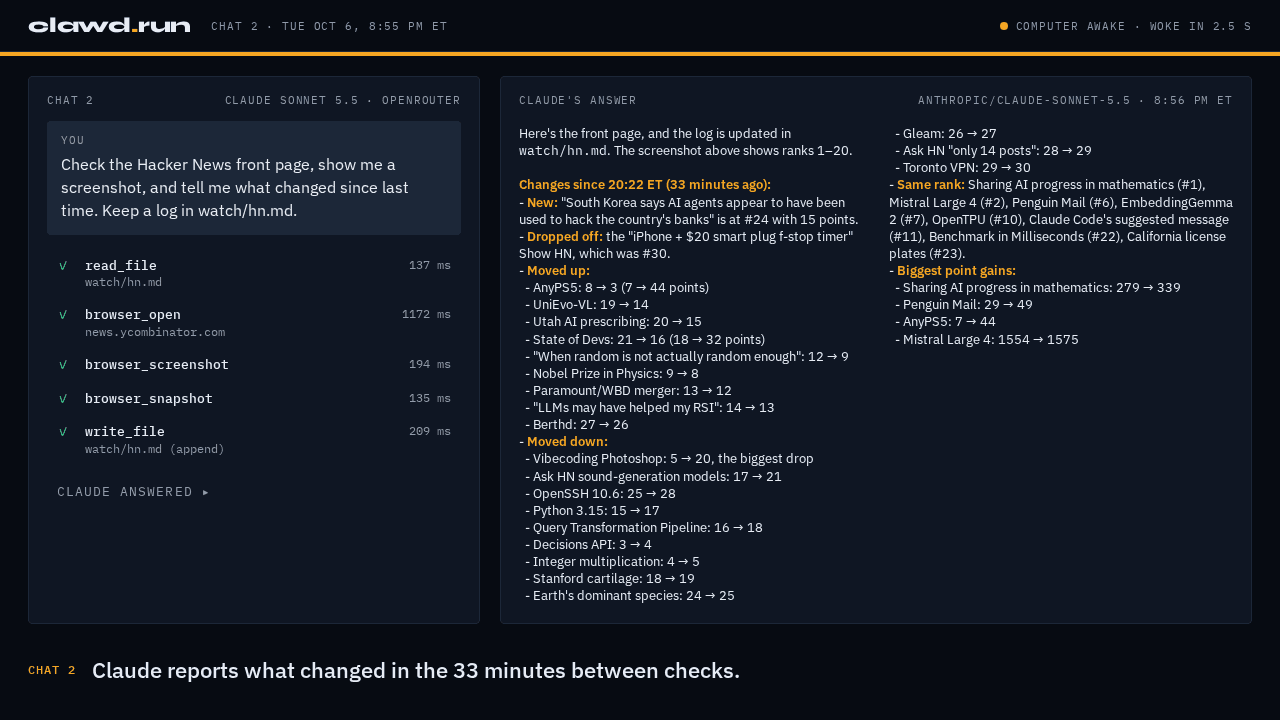
watch/hn.md, which chat 2 read 33 minutes after chat 1 wrote it. - Counts toward your plan
- Awake time only
- The pink on the chart. $10/mo covers 60 active hours.
Sheet 3 · log entries
Give it a job
Copy a prompt, paste it into Claude or Grok once your computer is connected, and change the details to fit.
Watch a page
It opens the page, takes a screenshot, and tells you what changed since the last check. This is the prompt from the video.
Check the Hacker News front page, show me a screenshot, and tell me what changed since last time. Keep a log in watch/hn.md.
Fill a form from a spreadsheet
It reads rows from a file on its computer and types them into a web form, one submit at a time.
Open signups.csv in my files. For each row, fill in the form on the page I have open in the browser, submit it, and write the confirmation number next to that row in signups-done.csv. Stop and tell me if a submit fails.
Keep research between chats
It saves what it finds to files, so the next chat starts from your notes instead of from zero.
Find three recent reviews of standing desks under $500 and save the main pros and cons of each to research/desks.md. If that file already exists, read it first and only add what's new.
Sheet 4 · setup, once
Connect it once
Sign up
Create your clawd account. We set up a computer for you, and it stays asleep until your AI uses it.
Copy your link
Your dashboard shows one connector link. It is the only thing you paste anywhere.
Paste it into Claude or Grok
In Claude, open Settings → Connectors → Add custom connector, paste the link, and sign in with your clawd account. Grok has the same option under Connectors.
ChatGPT comes after Claude and Grok.
Sheet 5 · billing
Pay for awake time
$10/mo
60 active hours a month. An hour counts only while your computer is awake, the pink on the chart.
The first 5 squares are the trial: 5 active hours, free, no card.